
Desk Setup Tips for Focus and Comfort: Create Your Ideal Workspace
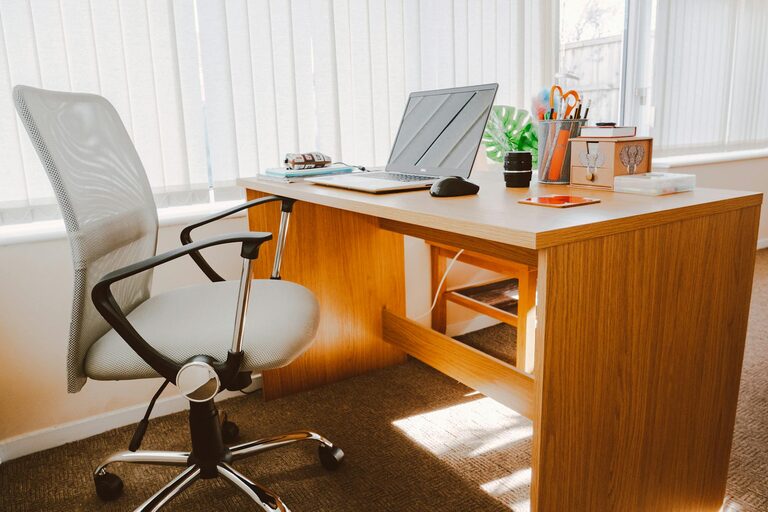
Creating a workspace that supports both focus and comfort is essential whether you work from home or in an office. A well-designed desk setup not only enhances your productivity but also helps prevent physical strain and mental fatigue. In this post, we’ll explore how to optimize your desk area with simple and effective tips to make your workday more enjoyable and efficient.
Why Your Desk Setup Matters
Your desk is more than just a flat surface; it’s the hub where you spend many hours daily. Poor setup can lead to discomfort, distraction, and lower productivity. On the other hand, a thoughtfully arranged workspace can:
– Reduce physical discomfort, such as back, neck, or wrist pain
– Minimize distractions for better concentration
– Improve organization for easier workflow
– Boost mood and motivation
Essential Elements for Focus and Comfort
To achieve these benefits, consider focusing on key elements: ergonomics, organization, lighting, and ambiance.
1. Ergonomic Desk and Chair Arrangement
Ergonomics refers to designing your workspace to fit your body’s needs, reducing strain and injury risks.
– Desk Height: Your desk should allow your forearms to rest parallel to the floor when typing. Adjustable desks or chairs can help you find the right height.
– Chair Support: Use an ergonomic chair that supports your lower back. Adjust the height so your feet rest flat on the floor or on a footrest.
– Monitor Placement: Position your screen at eye level, about an arm’s length away. Tilt the screen slightly upward to reduce neck strain.
– Keyboard and Mouse: Keep them close enough to avoid reaching, and ideally at the same height as your elbows.
2. Organize Your Desk for Efficiency
Clutter can be distracting. A neat, organized desk can help you focus better and find things quickly.
– Essential Items Only: Keep only frequently used items on your desk, such as your computer, notepad, and writing tools.
– Use Storage Solutions: Utilize drawers, desktop organizers, or shelves to store less-used items.
– Cable Management: Use clips or cable sleeves to keep cords tidy and out of the way.
– Digital Organization: Organize your computer files and emails to reduce digital clutter, complementing your physical organization.
3. Optimize Lighting for Comfort
Good lighting reduces eye strain and helps keep you alert.
– Natural Light: Position your desk near a window if possible to enjoy natural daylight.
– Task Lighting: Use a desk lamp with adjustable brightness to illuminate your work without glare.
– Avoid Screen Glare: Adjust blinds or the angle of your monitor to prevent distracting reflections.
4. Create a Pleasant Ambiance
A comfortable atmosphere supports long periods of work by promoting mental well-being.
– Personal Touches: Add plants, photos, or decorations that make you feel calm and inspired.
– Temperature and Ventilation: Ensure your workspace is comfortably warm or cool, with fresh air circulation.
– Noise Control: Use noise-cancelling headphones or soft background music to block distractions, if noise is an issue.
5. Incorporate Movement and Breaks
Sitting for prolonged periods reduces both comfort and focus.
– Regular Breaks: Follow the 20-20-20 rule: every 20 minutes, look at something 20 feet away for 20 seconds to rest your eyes.
– Stretch and Move: Stand up, stretch, or take a short walk every hour to reduce stiffness.
– Standing Desk Options: Consider using a sit-stand desk to alternate your posture throughout the day.
Final Thoughts
Designing a desk setup that boosts focus and comfort is a worthwhile investment in your productivity and well-being. By paying attention to ergonomics, organization, lighting, and ambiance, you create a space that supports both your body and mind. Remember, even small changes can make a big difference—start by adjusting your chair height or decluttering your desktop, then build from there.
With these tips, you can transform your workspace into a comfortable, distraction-free zone where your best work gets done. Happy organizing!